Getting Started: Your First Content Kit
EchoMe turns one piece of content into a full kit: clips with captions, LinkedIn posts, Instagram captions, blog drafts, emails, and carousels. Here's how to create your first one.
3 min read
Sign up for free
Create your EchoMe account. It's free, no credit card required. You get 5 full content generations to try everything out before deciding on a plan. At signup, EchoMe automatically builds your starting knowledge base so your first kit reflects your context right away.
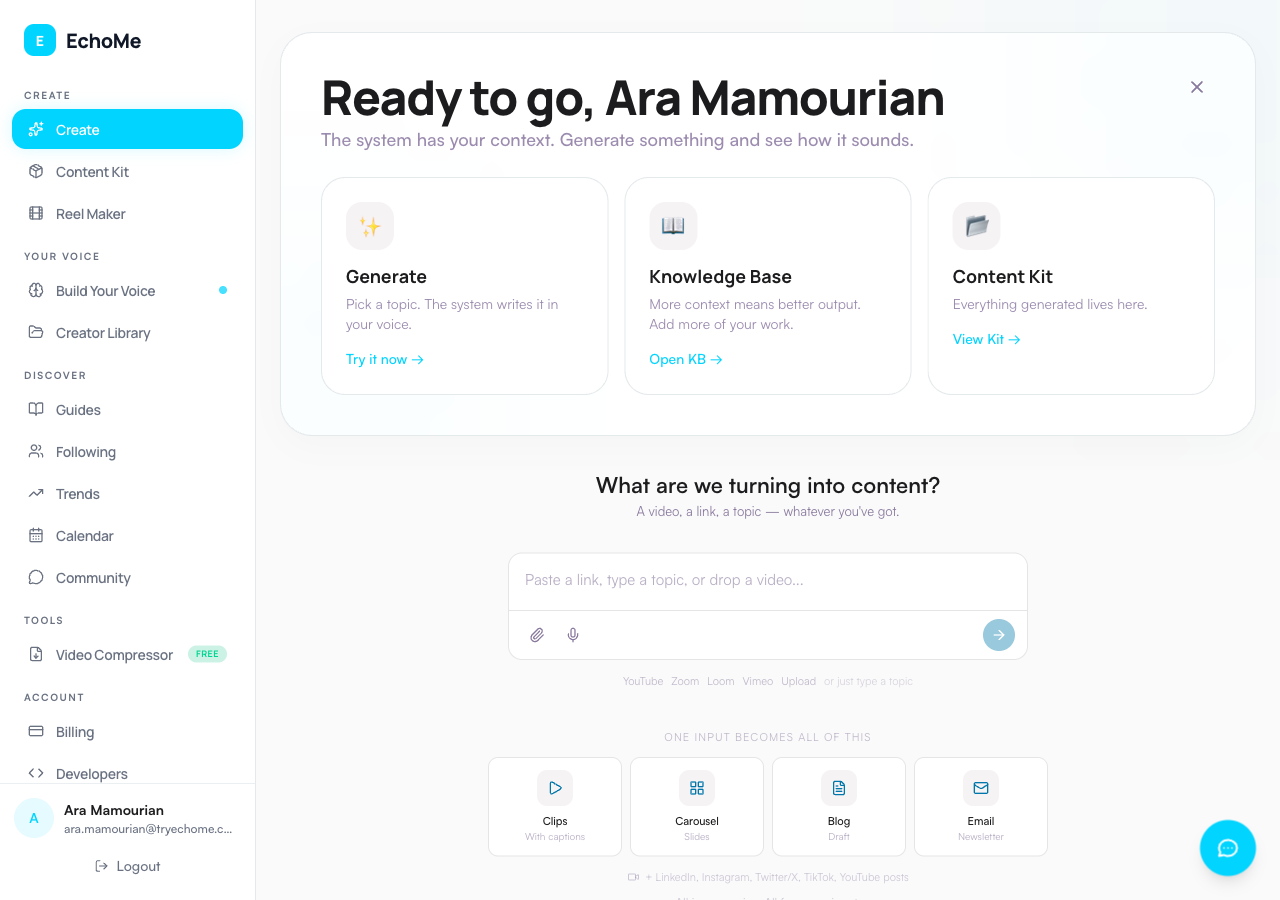
Go to the Create page
From the sidebar, click Create. You'll land on one composer: type a topic, paste a link, drop a file with the paperclip icon (or drag it anywhere on the page), or tap the mic and talk. Paste a YouTube or Instagram link and Echo asks what to do with it: cut clips and write content now, save it to clip later, or add it to Your Voice. Paste a Loom or Vimeo recording link and Echo cuts clips and writes content right away.
Wait 2-5 minutes for processing
Once you submit, EchoMe gets to work. Here's what happens behind the scenes:
- Audio is transcribed with speaker detection
- The best clips are extracted and scored by strength
- Written content is generated across 8 formats: LinkedIn, Instagram, X, TikTok, email, YouTube description, blog, and video script
You'll get a notification when your Content Kit is ready.
Review your Content Kit
Open your kit to see everything EchoMe created from a single input. Content is organized into two sections:
Visual Content:
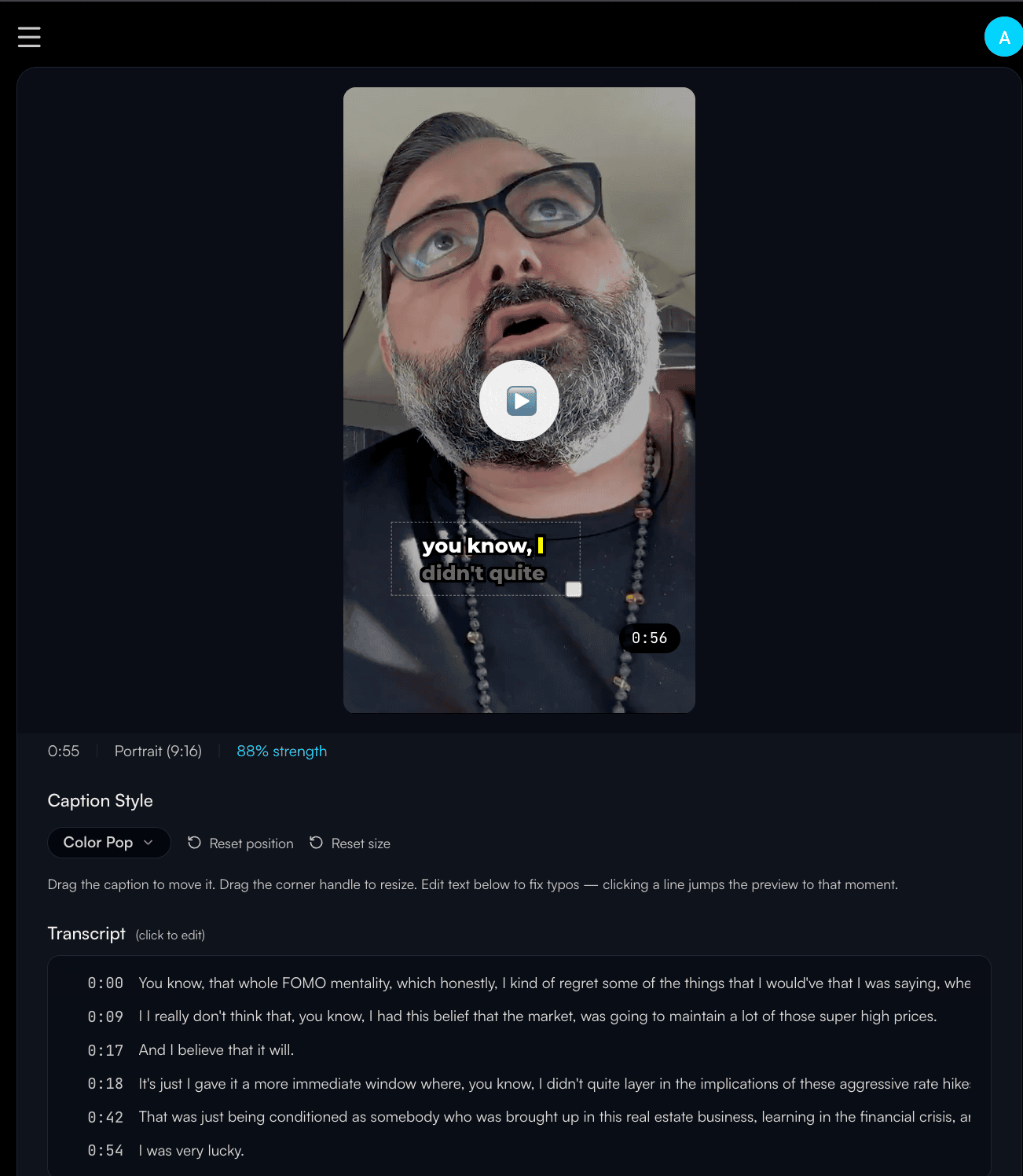
- Short-form clips with captions
- Carousel slides
Written Content:
- LinkedIn post
- Instagram caption
- X post
- TikTok caption
- Blog draft
- Email newsletter
- YouTube description
- Video script
Each piece is written in your voice, grounded in your context.
Edit, export, and publish
Click any piece of content to edit it directly. Download clips in 1080p with your chosen caption style. Copy text to clipboard. Everything is saved in Your Library for later. It works in your phone's browser too.
Tip: Your first generation trains EchoMe on your voice. The more content you feed it, the better it sounds like you.
Ready to create your first Content Kit?
Start Free: 5 GenerationsNo credit card required.