Building Your Knowledge Base
Your knowledge base is what makes EchoMe sound like you. It's the “context” in “Context is King.” The more content you add, the better EchoMe understands your voice, your ideas, and how you communicate.
3 min read
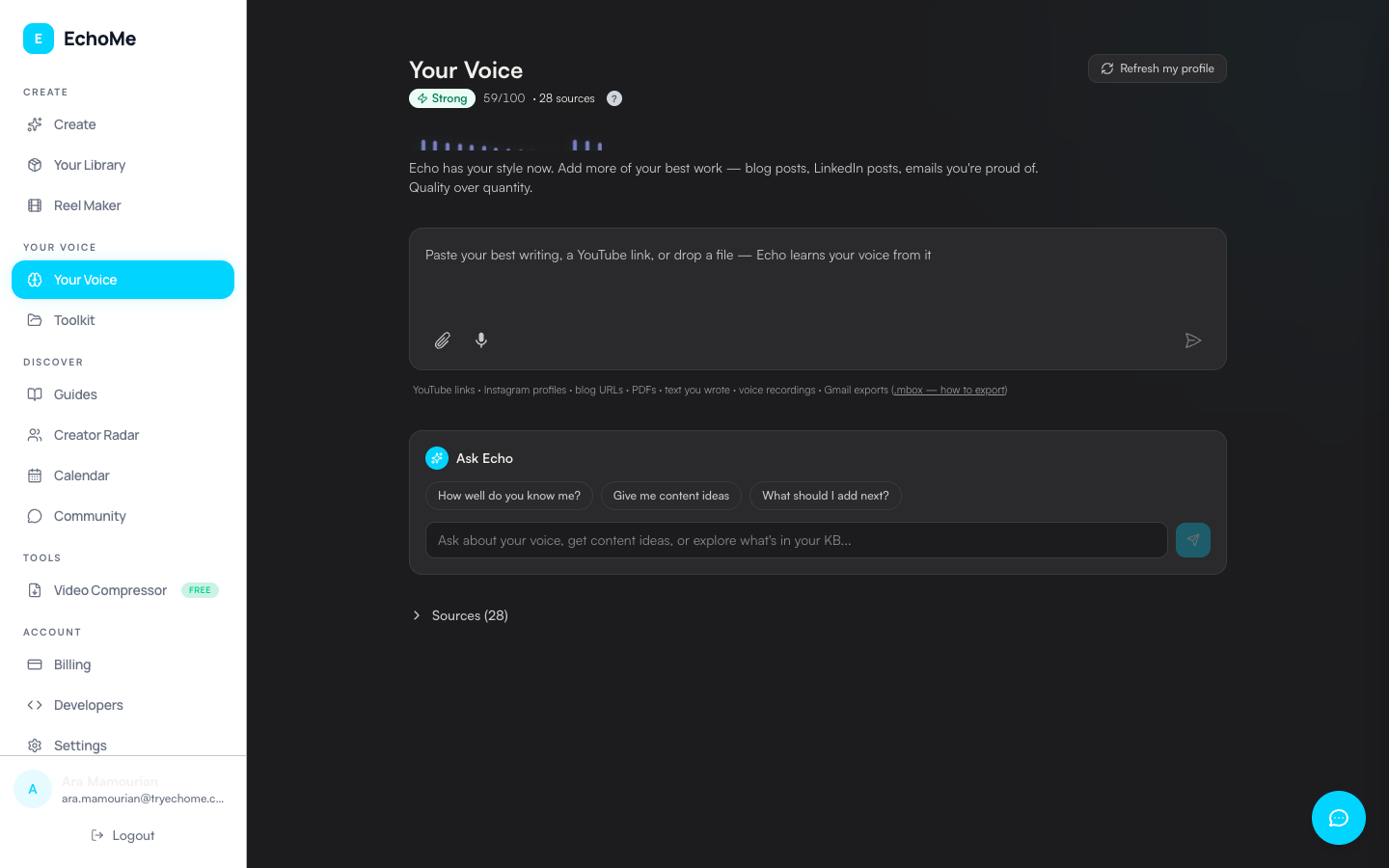
Open Your Voice in the sidebar
Open the sidebar and click Your Voice. This is where all your content sources live, everything EchoMe reads to learn how you write and speak.
Add content using the unified input
The page features a single unified input where you can paste YouTube links, blog URLs, drop documents, videos, or type text directly. Each source gives EchoMe more context about your voice, style, and ideas. Any video you upload or link trains both your voice profile and your knowledge base at the same time. If you want to remove a video from your knowledge base later, use the Forget action on that item.
Upload emails from Gmail
Import emails directly from Gmail to teach EchoMe how you communicate in professional settings. See the Email Upload guide for detailed steps.
The more you add, the better
EchoMe gets better at matching your voice with every piece of content you add. Your tone, vocabulary, sentence structure, and ideas all become part of your voice profile.
Check your voice strength score
Your voice strength score (0–100) improves as you add more content. Check it on your profile to see how well EchoMe knows your voice. Higher scores mean more accurate voice matching across all generated content.
Ready to see your voice profile?
Start Free: 5 Content KitsNo credit card required.