Creating and Managing Video Content in EchoMe
Upload a video or paste a link, and EchoMe will transcribe it, extract clips with captions, and generate a full content kit: posts, newsletters, and blog drafts tailored to each platform.
5 min read · Video walkthrough included
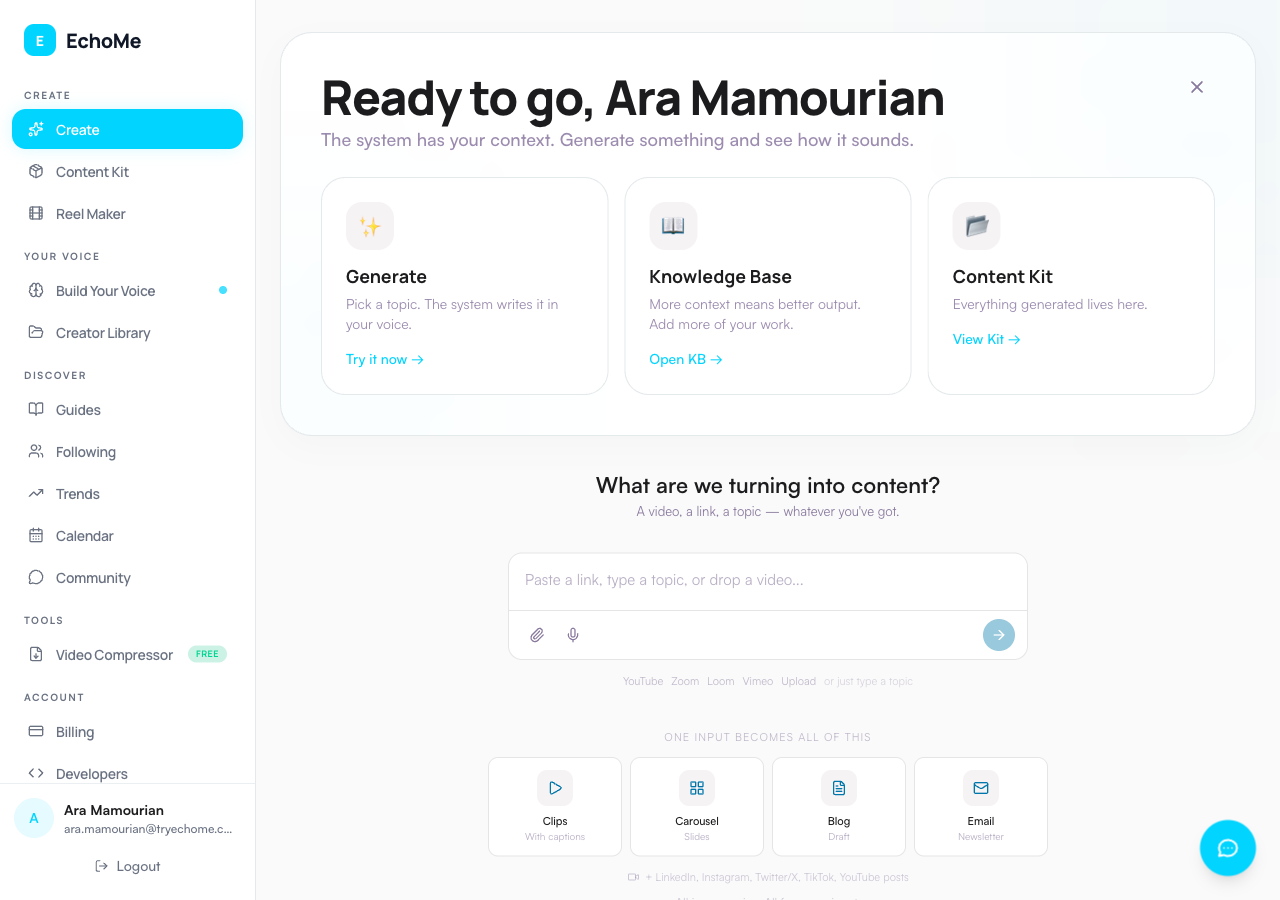
Sign in and navigate to Create
When you sign up, EchoMe runs an automatic Work Before The Work pass that builds your starting knowledge base. After that, you go straight to the Create page. You'll see a single unified input where you can paste a link (YouTube, Loom, Vimeo), type a topic, drop a video file, or record a voice note using the mic button inside the input bar.
Uploading videos
Drag and drop your video file directly onto the input area, or use the paperclip attach button inside the input bar. The hard cap is 5GB per upload, but anything under 500MB is noticeably faster and more reliable. Avoid 4K footage. 1080p or 720p works great and uploads much faster.
If your file is too large, see our compression guide for free tools to shrink it.
Using video links
Instead of uploading a file, paste a YouTube, Instagram, Loom, or Vimeo URL into the composer. No file upload needed. EchoMe pulls the content directly. For YouTube and Instagram links, EchoMe asks whether the video is yours and where to send it before it starts.
Note: YouTube links may be intermittent due to platform restrictions. If a YouTube link fails, try downloading the video first and uploading the file.
Processing and Your Library
After upload, EchoMe processes your video: transcribing, finding key moments, extracting clips, adding captions, and generating written content. Monitor progress on the kit detail page. Once complete, your content appears in Your Library.
Editing video clips
View your extracted clips along with strength scores. Single speaker view shows one frame. Split-screen view is auto-generated when multiple speakers are detected, such as in interviews or podcasts. Download the Single or Split version of each clip.
Customizing captions
Choose from 8 caption styles: Modern, Big & Bold, Color Pop, Karaoke, Underline, One at a Time, Subtitle Bar, and Clean & Simple. Position captions at the top, center, or bottom of the frame. Toggle captions on or off, and preview changes in real-time.
Written content and scheduling
EchoMe generates posts for LinkedIn, Instagram, X/Twitter, TikTok, Newsletter, Blog, YouTube description, and Video script, plus an Instagram carousel. Each platform gets tailored content matching its format and audience expectations. Copy to clipboard, use Post Now or Schedule on each platform, or add to your calendar.
Your videos shape your voice
Every video you upload also feeds your voice profile. The more it reads, the better EchoMe matches your tone, vocabulary, and style. Check your voice strength on the Your Voice page.
Common mistakes to avoid
- Uploading 4K raw footage: Compress your video first. EchoMe analyzes speech, not pixels. A 720p file gives the same results and uploads in a fraction of the time.
- Retrying a failed upload without compressing: If a large file fails, don't upload the same file again. Compress it first using a free tool, then retry.
- Forgetting you can paste a link instead of uploading: If your video is already on YouTube, Instagram, Loom, or Vimeo, just paste the URL. No file upload needed at all.